 Interface
sectionInterface
section
Interface
sectionInterface
section
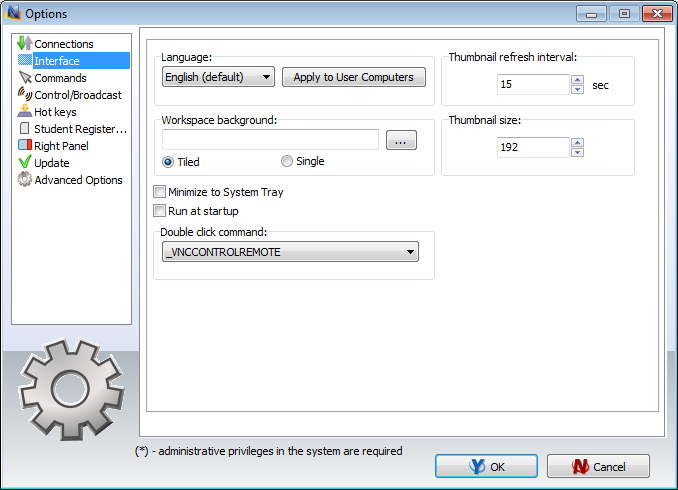
Language – select a language for user interface. To apply changes to client computers, select them in connections list, then select a language and click the “Apply to User computers” button.
Workspace background – use this option to set up background picture for the connections list.
Thumbnail Refresh interval – specifies a refresh interval in seconds, when thumbnails of client connections will be updated.
Thumbnail size – specifies a width in pixels of a client connection thumbnail.
Minimize to System Tray – when the option is enabled, being minimized to the taskbar, Net Control 2 Administrator Console will remove its button from the taskbar and place an icon to the System Tray.
Run at startup – when the option is enabled, the program will be started automatically at Windows startup.
Double-click command – allows to specify a command, which will be performed when a user double clicks a thumbnail in the connections list. Default double-click command opens Remote Desktop session with the selected computer.