hiteboard
Toolhiteboard
Tool
hiteboard
Toolhiteboard
Tool
Net Control 2 includes the capability of sharing a whiteboard with remote users.
To initiate a whiteboard session:
in the “Messaging” tab, select user computers;
click the “Whiteboard” button or select “Open Whiteboard” from the Whiteboard submenu;
Net Control 2 will start a whiteboard session on user computers.
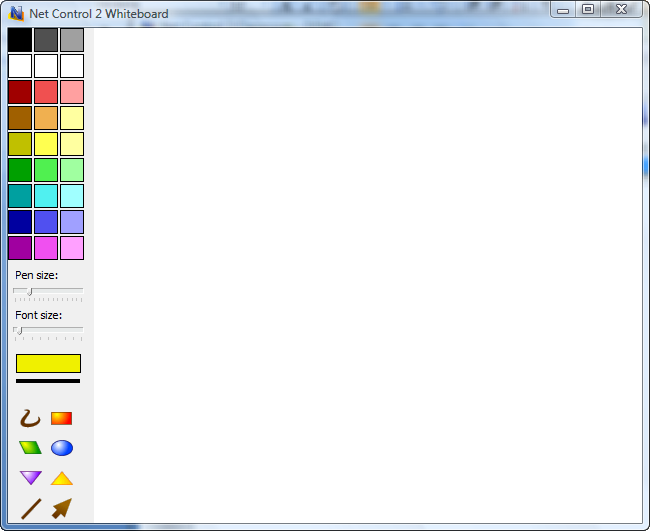
All actions performed by Instructor on the Whiteboard, will be reproduced on the user's computers.
The Instructor can allow or forbid drawing access to users, using the Whiteboard menu options “Enable Drawing Mode” or “Disable Drawing Mode”.
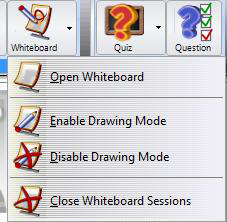
To close a Whiteboard session, close the Whiteboard window or select “Close Whiteboard Sessions” from the Whiteboard menu.
By default the Whiteboard window will be opened on tab Connections at right pane of the connections list. To detach the Whiteboard window or to place the window to a separate tab, click the layout buttons at the top-right corner of the Whiteboard panel: